


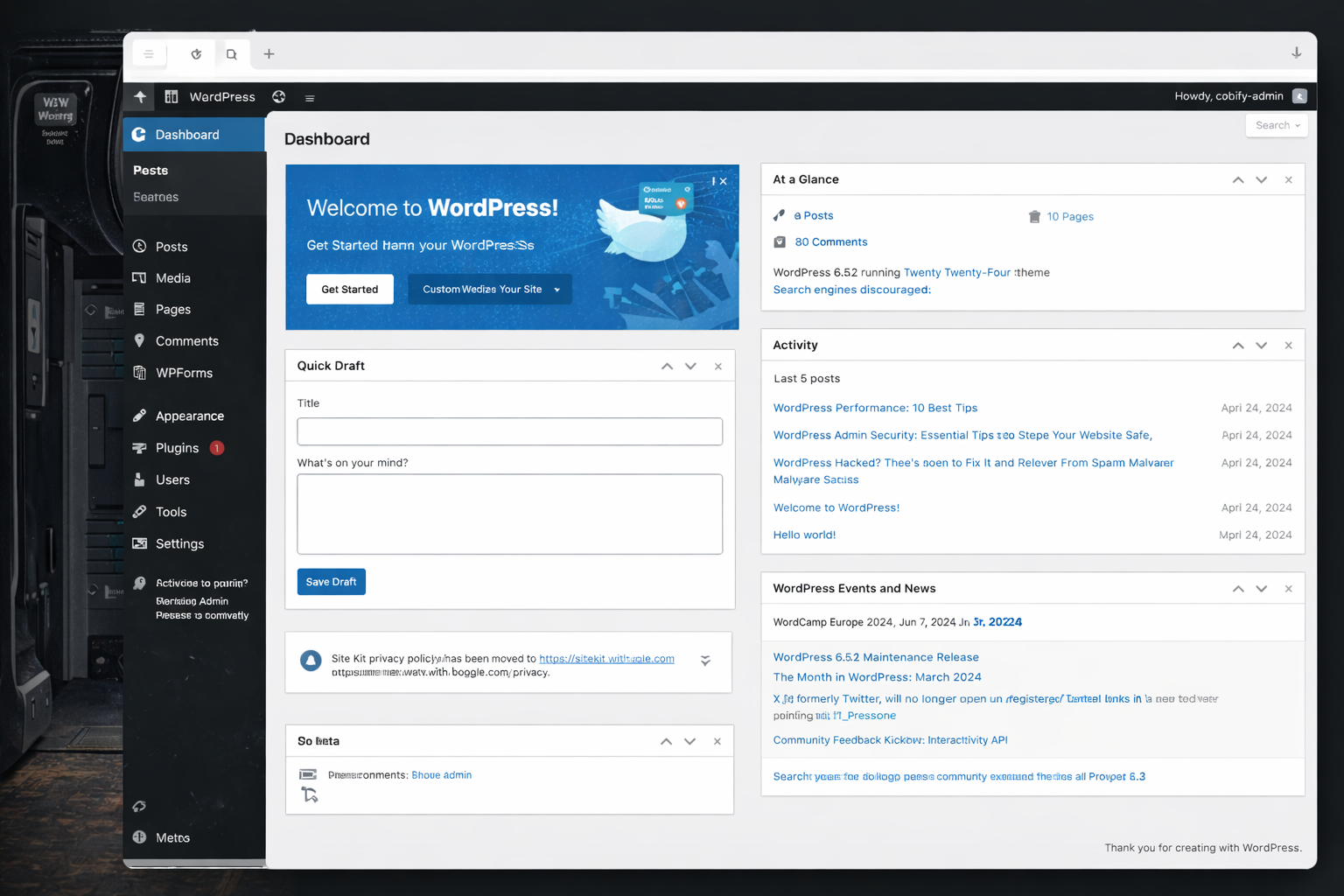
Every day, thousands of WordPress sites fall victim to one of the most common yet overlooked security breaches, unauthorized user account creation. Site owners log into their admin panel only to discover mysterious administrator accounts they never created, often with usernames like admin123, support, or random strings of characters. This is particularly important for Irish businesses and WordPress sites based in Dublin, where bot attacks have increased significantly. This isn’t just a minor inconvenience, it’s evidence of a serious security compromise that gives attackers persistent access to your entire website. Understanding why this happens and how to prevent it is critical for any WordPress site owner.
WordPress security Ireland is a hot topic these days. Irish WordPress site owners can protect their admin panels with these proven security practices
How Bots Breach WordPress Admin Panel Security
When bots successfully create unauthorized user accounts on WordPress sites, they’re exploiting specific vulnerabilities in the authentication and registration systems. These attacks follow predictable patterns that, once understood, become much easier to prevent and detect.
The creation of a rogue administrator account is rarely the first breach, it’s usually the second step in a multi-stage attack designed to establish permanent access to your site.
Brute force attacks remain the most common entry point. Bots systematically try thousands of username and password combinations against your login page. WordPress admin username and weak passwords, especially those using admin as the username, fall quickly to these automated attacks. Modern bot networks can attempt millions of combinations across thousands of sites simultaneously.
Exploited plugin vulnerabilities provide another common avenue. Outdated or poorly coded plugins may contain security flaws that allow unauthorized code execution. Attackers exploit these vulnerabilities to gain access to WordPress’s user creation functions without ever needing to log in legitimately.
XML-RPC attacks target WordPress’s XML-RPC functionality, which enables remote connections for features like pingbacks and mobile apps. This protocol can be exploited to bypass traditional login protections, allowing bots to attempt authentication without triggering login attempt limits. A single XML-RPC request can contain hundreds of login attempts, making brute force attacks devastatingly efficient.
Registration form exploitation occurs when your site’s user registration is enabled but inadequately protected. Bots can directly register accounts through your registration page, and if they can manipulate the role assignment, they escalate their privileges to administrator level.
These vulnerabilities align with the OWASP Top 10 security risks that affect web applications globally, including broken authentication and security misconfigurations.
Why Bots Create User Accounts
Creating a user account might seem like extra work for an attacker, but it serves several strategic purposes that make it the preferred method for maintaining long-term site access.
Persistence is the primary advantage. If attackers simply inject malicious code into your files, you might clean those files during routine maintenance or security scans. However, an administrator account remains active even after you’ve updated WordPress, changed your password, or cleaned infected files. It’s a backdoor that survives most cleanup attempts.
Legitimacy and stealth allow malicious accounts to blend in with normal site activity. Login attempts from a valid administrator account don’t trigger security alerts the way file modifications or unusual code execution might. The bot can log in, make changes, and log out while appearing in your access logs as routine administrative activity.
Multiple attack vectors become available once an account exists. The attacker can install malicious plugins, modify theme files, inject spam into posts, create additional administrator accounts, change your actual administrator password, access your database, upload malicious files, or modify WordPress core files. A single compromised account provides unlimited possibilities.
Ease of re-entry means that even if you discover and remove the malicious account, the attacker can simply create another one if the underlying vulnerability remains unpatched. Without fixing the root cause, you’re stuck in an endless cycle of finding and removing unauthorized accounts.
Recognizing Unauthorized Accounts
Recognizing malicious accounts quickly can limit the damage they cause. Bot-created accounts typically share identifiable characteristics.
Bots often use predictable username patterns that make them easier to spot. Common examples include generic administrator names like admin, administrator, support, helpdesk, or webmaster. These blend in with legitimate administrative accounts on many sites.
Random character strings such as df8jk3m or user_938475 indicate automated generation. Human-chosen usernames typically have some meaning or pattern.
Names impersonating legitimate users like admin2 when you already have admin, or slight variations of your actual username, trick casual observers into thinking these are backup accounts.
Service-related usernames such as wordpress_support, plugin_update, or security_scan make the accounts appear to be created by legitimate WordPress services or plugins.
Email addresses associated with bot-created accounts often reveal their malicious nature. Temporary email services like those ending in @tempmail.com, @guerrillamail.com, or @10minutemail.com allow attackers to receive the registration confirmation without using a real email address.
Nonsensical email addresses with random characters before the @ symbol rarely represent legitimate users. Mismatched domains where the username is professional but the domain is suspicious like admin@example.ru on a US business site should raise immediate red flags.
Disposable domains that change frequently are favorites of bot creators since these services don’t require verification and expire automatically.
The most dangerous aspect of these attacks is when bots assign administrator privileges to the accounts they create. An administrator account has complete control over your WordPress site, including the ability to install plugins, modify files, delete content, access your database, and create additional administrator accounts.
Some attackers are more subtle, creating subscriber or contributor accounts that don’t immediately trigger concern. These lower-privilege accounts can be upgraded to administrator later or used to post spam comments and content.
Check the creation dates of all user accounts in your admin panel. Multiple accounts created simultaneously, especially outside your normal business hours, strongly suggest automated bot creation. Accounts created during known security incidents on your site also warrant immediate investigation.
User Registration Vulnerabilities
Many WordPress sites unknowingly enable user registration without implementing proper security controls. This creates an open door for bot registration.
WordPress includes built-in user registration functionality that, when enabled, allows anyone to create an account on your site. By default, new users are assigned the Subscriber role, which has minimal permissions. However, several factors can turn this benign feature into a security nightmare.
Unprotected registration forms without CAPTCHA or similar verification allow bots to register accounts automatically. A single bot can create thousands of accounts in minutes.
Role escalation vulnerabilities in plugins or custom code might allow attackers to manipulate the role assignment during registration, granting themselves administrator access instead of subscriber.
Email verification bypasses occur when registration confirmation emails aren’t required or can be circumvented, allowing bot-created accounts to activate immediately.
Username enumeration through the registration form reveals which usernames already exist on your site, helping attackers target specific accounts for brute force attacks.
Many plugins add registration and login functionality to your site, and each one represents a potential vulnerability if not properly secured. Membership plugins, e-commerce platforms, forum plugins, and social login integrations all create additional registration endpoints that bots can exploit.
Third-party plugins may not implement the same security standards as WordPress core, creating weaknesses in your overall security posture. Some plugins bypass WordPress’s standard user creation process, potentially missing important security checks.
The Consequences of Unauthorized Accounts
The presence of unauthorized administrator accounts leads to compounding problems that can permanently damage your site and business.
Each malicious account represents a backdoor into your site. Attackers can log in at any time to deploy malware, steal data, inject spam, or further compromise your security. Even after you clean your site and remove visible infections, these accounts let attackers undo all your work instantly.
Administrator accounts provide access to your entire database, including customer information, email addresses, payment details if stored, user passwords which are hashed but potentially crackable, and proprietary business information. Data breaches can trigger legal liability, regulatory penalties, and devastating loss of customer trust.
Attackers use compromised accounts to inject spam pages, create redirects to malicious sites, add hidden links to spam domains, or modify existing content to include spam keywords. Search engines detect these manipulations and penalize or de-index your site. Recovery can take months or may never fully restore your previous rankings.
Your server resources become tools for attackers to send spam emails from your domain, host malware for distribution, participate in DDoS attacks on other sites, or mine cryptocurrency using your server’s processing power. This slows your site, increases hosting costs, and can lead to your hosting account being suspended.
Sophisticated attackers don’t just create one administrator account, they create several with different usernames and access levels. They may also modify legitimate accounts or create accounts that appear to be from plugins or services. Finding and removing all malicious accounts becomes extremely difficult, especially if you don’t know exactly when the breach occurred.
Best WordPress Admin Panel Security Practices
Preventing unauthorized user creation requires a multi-layered security approach that addresses each potential vulnerability.
The simplest protection is to disable user registration entirely if you don’t need it. In your WordPress admin panel, go to Settings > General and uncheck Anyone can register. This immediately closes the most common avenue for bot-created accounts.
If you do need user registration for a membership site, forum, or e-commerce platform, implement it through a dedicated plugin that includes proper security controls rather than using WordPress’s default registration.
Limit login attempts using plugins like Limit Login Attempts Reloaded or Wordfence. After a specified number of failed login attempts, the plugin blocks that IP address temporarily. This makes brute force attacks impractical.
Enable two-factor authentication for all administrator accounts. Even if attackers obtain your password, they can’t log in without the second authentication factor. Plugins like Wordfence Login Security or Two Factor Authentication provide easy implementation.
Enforce strong password policies that require minimum length, complexity, and regular changes. Tools like Password Policy Manager can enforce these requirements automatically.
Change the default admin username if you’re still using it. Bots specifically target this username in brute force attacks. Create a new administrator account with a unique username, then delete the admin account.
Use unique usernames for database and WordPress that aren’t related to your domain name or business name. Harder-to-guess usernames significantly increase the difficulty of successful brute force attacks.
Secure WordPress Login Page from Bot Attacks
Your login page is the primary target for bot attacks. Adding security layers here provides substantial protection.
Change your login URL using plugins like WPS Hide Login or Rename wp-login.php. Bots automatically target the default /wp-login.php and /wp-admin/ URLs. Using a custom login URL like /my-secret-login/ makes automated attacks impossible unless the attacker specifically discovers your custom URL.
Add CAPTCHA to login and registration forms using Google reCAPTCHA or hCaptcha. This prevents automated bots from submitting login attempts or creating accounts while allowing legitimate users to proceed after completing the CAPTCHA challenge.
Implement IP whitelisting for administrator access if you always log in from specific locations. Configure your server or use a security plugin to allow administrator logins only from your office IP address or VPN. This completely prevents unauthorized access attempts from other locations.
Use HTTP authentication as an additional security layer. This creates a password prompt before the WordPress login page even loads, providing two separate authentication barriers.
For additional security measures, consult WordPress’s official security hardening guide which provides comprehensive best practices for securing your installation.
Disable XML-RPC
XML-RPC amplifies brute force attacks by allowing multiple authentication attempts in a single request. Unless you specifically need XML-RPC for Jetpack, mobile apps, or pingbacks, disable it completely.
Add this code to your .htaccess file to block XML-RPC access. Alternatively, use a security plugin to disable XML-RPC or limit its functionality to only the features you actually use.
Monitor User Activity
Regular audits of your user accounts should be part of your routine maintenance. Review all administrator accounts weekly, check subscriber accounts for suspicious registrations, verify email addresses look legitimate, and confirm all accounts have a legitimate purpose.
Activity logging through plugins like WP Activity Log or Simple History tracks every action taken by every user account. This creates an audit trail that reveals unauthorized activity and helps identify compromised accounts quickly.
Email notifications for new user registrations alert you immediately when accounts are created. If you receive a registration notification and you didn’t create the account, you can investigate and remove it before the attacker uses it.
Set up login notifications that email you whenever someone logs into an administrator account. If you receive a login notification when you didn’t log in, you know your account has been compromised.
Quality security plugins provide integrated protection against multiple attack vectors. Wordfence, Sucuri Security, iThemes Security, and All In One WP Security & Firewall offer features including firewall protection, malware scanning, login security, file integrity monitoring, and real-time threat intelligence.
Configure these plugins properly, simply installing them isn’t enough. Enable all relevant security features, set up email notifications, schedule regular scans, and review security logs periodically.
Outdated software is the number one cause of WordPress security breaches. Enable automatic updates for WordPress core minor releases, update plugins immediately when security releases are announced, remove unused plugins and themes entirely, and verify your theme receives regular updates from its developer.
Set a calendar reminder to check for updates weekly if automatic updates aren’t enabled.
WordPress hosting and support plans by Cobify
What to Do If You Find Unauthorized Accounts
Finding suspicious user accounts requires immediate action to limit damage and prevent further compromise.
Delete all suspicious accounts immediately through Users > All Users in your admin panel. Hover over the suspicious account and click Delete, then attribute their content to your legitimate administrator account or delete it entirely.
Change all passwords for every legitimate account on your site, including WordPress administrator accounts, database passwords, FTP/SFTP passwords, and hosting control panel passwords. Use strong, unique passwords for each.
Review recent activity using your activity log plugin or server access logs. Look for changes made by the suspicious accounts such as new plugins installed, files uploaded, posts or pages created, or theme modifications.
Scan for malware using a security plugin with comprehensive scanning capabilities. The attacker likely installed backdoors or malicious code beyond just creating user accounts.
Check file modifications by comparing your WordPress installation with clean versions from the official repository. Look for recently modified files that correlate with the timeframe of the unauthorized account activity.
Identify the vulnerability that allowed the account creation. Was it weak passwords, an outdated plugin, enabled registration without protection, or XML-RPC exploitation? Fix the root cause to prevent recurrence.
Implement all security recommendations outlined in this article. Don’t wait for another breach to take security seriously.
Consider professional security assistance if you’ve suffered repeated breaches or significant damage. Security professionals can perform comprehensive audits and implement enterprise-grade protections.
Document the incident including when the breach occurred, which accounts were created, what actions they took, and how you resolved it. This documentation helps if issues arise later and serves as a learning experience.
The Reality of Bot Attacks
Bot attacks targeting user registration and admin access aren’t rare occurrences affecting only high-profile sites, they’re constant, automated attempts happening to every WordPress site on the internet. Bots scan for vulnerable sites 24/7, exploiting any weakness they find.
The good news is that these attacks rely on common vulnerabilities that are entirely preventable. Sites with strong passwords, limited login attempts, disabled registration when not needed, updated software, and active security monitoring rarely suffer successful bot intrusions.
Your WordPress admin panel is the gateway to your entire digital presence. Protecting it from unauthorized user creation attacks protects your content, your data, your reputation, and your business. The time invested in implementing these security measures is minimal compared to the devastation of a successful breach.
Don’t wait until you discover mysterious administrator accounts in your user list. Implement comprehensive security measures today, monitor regularly, and maintain vigilance. Your WordPress site’s security is too important to leave to chance.
Expert Insight
“In my experience working with over 200 Irish WordPress sites, I’ve found that 80% of security breaches happen because site owners simply didn’t know user registration was enabled. It’s often turned on by a plugin or theme and forgotten about. My first recommendation to every client is always the same: check Settings > General right now and make sure ‘Anyone can register’ is unchecked unless you absolutely need it.”
Colin O Brien, www.cobify.ie